For US enterprises, federal agencies, and critical-infrastructure operators, understanding how intrusions happen matters more than ever. Attackers who bypass perimeter controls don't always trigger an alarm. They can sit inside a network for days, escalate privileges, and exfiltrate data long before anyone notices.
This article breaks down what causes intrusions, what happens when warning signs go unaddressed, and how layered detection and prevention reduce the odds of a minor incident becoming a major breach.
Key Takeaways
- An intrusion ranges from a single failed login attempt to full-scale lateral movement and data theft.
- IDS tools monitor and alert; IPS and IDPS technologies can also block or isolate threats automatically.
- Network-based, host-based, signature-based, and behavior-based detection each provide different visibility.
- Strong protection combines access controls, segmentation, patching, logging, and practiced incident response.
Common Causes of an Intrusion
Intrusions rarely stem from one failure. They're usually the product of an attacker's tactics meeting an exploitable gap, whether that's a weak password, an unpatched server, or a misconfigured cloud bucket.
Unauthorized Credentials and Identity Compromise
Stolen or guessed credentials remain one of the most reliable ways into a network. Phishing, credential stuffing, weak authentication, and over-privileged service accounts all hand attackers a working login.
Example: An attacker buys a leaked password, logs into a remote-access portal as a legitimate employee, and starts browsing file shares. A security team investigating this would look at:
- Login attempts from unfamiliar devices or impossible-travel locations
- Authentication outside normal working hours
- Sudden privilege changes on the compromised account
Gartner's identity-threat guidance lists compromised credentials, account takeover, and privilege escalation among the top identity threats organizations face, and recommends risk scoring to prioritize which accounts need closer monitoring.
Exploited Vulnerabilities and Unpatched Systems
Unpatched operating systems, network devices, and exposed management interfaces give attackers a direct path to initial access or privilege escalation.
In a June 2025 advisory, CISA described ransomware actors compromising customers of a utility-billing software provider through unpatched SimpleHelp remote-management software, likely exploiting a path-traversal flaw tracked as CVE-2024-57727. A fix had already been released in version 5.5.8, but customers running older, unpatched versions remained exposed to double-extortion ransomware.
Misconfiguration and Excessive Exposure
Publicly reachable cloud storage, open ports, permissive firewall rules, and default credentials create paths attackers don't even need to work hard to find. Flat, poorly segmented networks make it worse by letting one exposed system lead straight to the rest of the environment.
Regular configuration reviews, attack-surface monitoring, and least-privilege controls shrink the number of doors left unlocked.
Malware, Phishing, and Malicious Payloads
Phishing attachments, malicious links, drive-by downloads, and compromised software introduce unauthorized processes into an environment. Verizon's 2026 Data Breach Investigations Report attributes 31% of known initial-access vectors to vulnerability exploitation and 13% to credential abuse, underscoring how often these two paths work together.

Watch for:
- Unusual process behavior or renamed executables
- Unexpected outbound connections to new destinations
- Command-and-control traffic patterns
- Abnormal file changes
Insider Activity and Lateral Movement
Malicious insiders and compromised legitimate users look different on paper but can leave similar traces once inside a network. Attackers who gain a foothold often move laterally, hunting for higher-value systems.
Indicators worth investigating include unusual administrative actions, access to unrelated network segments, unexpected privilege changes, and data transfers outside a user's normal pattern. MixMode's platform flags these deviations by spotting reconnaissance, lateral movement, and insider activity across enterprise, cloud, and hybrid environments as they emerge, rather than relying only on pre-written detection rules.
What Happens If an Intrusion Is Ignored
An alert that goes uninvestigated doesn't just disappear. It gives an attacker time to establish persistence, escalate privileges, and move laterally before anyone notices.
The costs compound quickly. IBM's 2026 Cost of a Data Breach report puts the global average breach cost at $4.99 million, a 12% year-over-year increase the report ties to detection, escalation, and lost-business costs. In the CISA SimpleHelp case referenced earlier, delayed remediation allowed ransomware actors to cause service disruption and pursue double-extortion against affected customers.

Beyond financial loss, an ignored intrusion can mean:
- Operational downtime, especially risky in OT environments where safety is on the line
- Regulatory exposure and mandatory breach disclosures
- Higher incident-response costs the longer containment is delayed
- Reputational damage that outlasts the technical fix
Warning Signs You're About to Experience an Intrusion
Early indicators need validation, not panic. But they're worth taking seriously:
- Identity anomalies: Repeated failed logins, impossible-travel activity, unfamiliar devices, or suspicious privilege changes.
- Network anomalies: New external destinations, unexpected encrypted traffic, port scanning, or abnormal data-transfer volumes.
- System anomalies: Disabled security controls, modified system files, new scheduled tasks, or a sudden spike in security events.
How to Prevent Intrusions
Prevention works best as layered risk reduction: block unauthorized access where you can, detect what slips through quickly, and contain it before it spreads.
Strengthen Identity and Access Controls
Phishing-resistant multifactor authentication, unique credentials, and privileged-access management close off the easiest entry points. Pair that with:
- Timely deprovisioning when employees or contractors leave
- Least-privilege permissions reviewed on a regular schedule
- Service-account governance, since these often carry excessive, forgotten privileges
- Periodic review of remote-access and third-party access policies
Patch, Harden, and Reduce the Attack Surface
NIST's enterprise patch management guidance (SP 800-40 Rev. 4) frames patching as a cycle: identify, prioritize, acquire, install, and verify. CIS Control 4 and Control 7 reinforce this with secure configuration baselines and continuous vulnerability tracking.
Practical steps include:
- Inventory internet-facing assets to know what's actually exposed.
- Prioritize critical vulnerabilities using exploitability and asset value, not just severity scores.
- Remove unnecessary services that widen the attack surface without adding value.
- Validate remediation instead of assuming a patch was applied correctly everywhere.
Segment Networks and Protect Critical Assets
Segmentation and zero-trust principles limit how far an attacker can move after gaining a foothold. Isolating IT from OT, separating user networks from production systems, and limiting east-west traffic all reduce the blast radius of a compromised account.
Monitoring works best when it's placed at internet gateways, internal network boundaries, high-value assets, remote-access points, and cloud control planes, not just at the perimeter.
Deploy IDS, IPS, and Behavioral Detection Appropriately
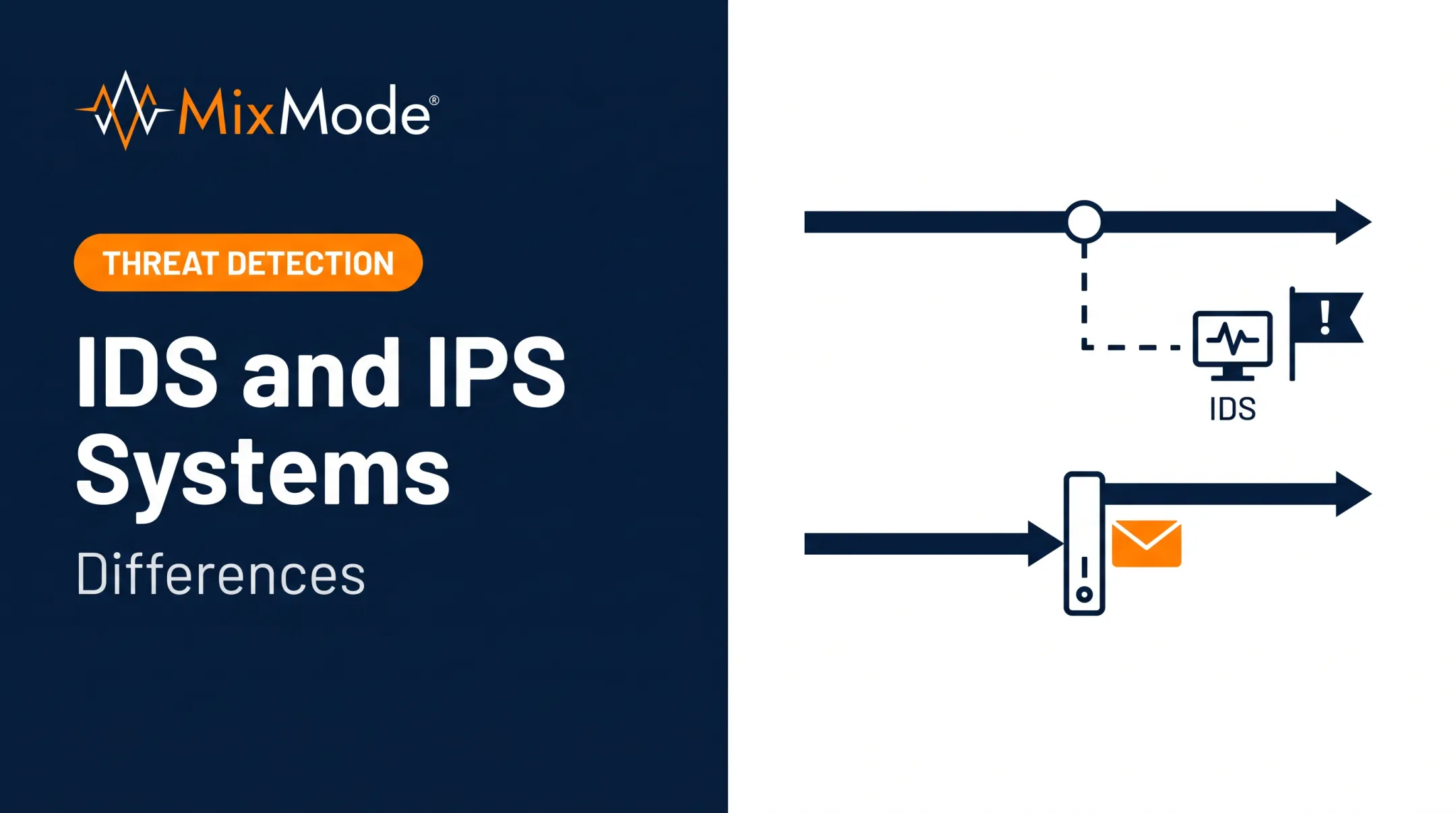
An IDS monitors traffic and alerts on suspicious activity. An IPS goes further, sitting inline to block or reset connections automatically. That added control comes with a tradeoff: inline enforcement can introduce latency or, if misconfigured, disrupt legitimate traffic.
- Signature-based detection catches known threats efficiently but misses novel attacks.
- Anomaly- and behavior-based detection flags deviations from normal activity, useful for emerging threats, but needs context to avoid flooding analysts with false positives.
This is where MixMode fits in as one example of a Cybersecurity Intelligence Layer. Its self-learning AI models network context continuously, without relying on static rules or signatures, to surface both known attack patterns and pre-attack indicators across enterprise, cloud, and mission-critical environments.
Integrate Alerts With Response Workflows
Detection only matters if it leads to action. IDS and IPS alerts should feed SIEM, SOAR, NDR, EDR, or XDR platforms for enrichment and prioritization. A practical response sequence looks like this:
- Validate the alert to rule out false positives.
- Scope which assets and accounts are affected.
- Contain the activity to stop lateral spread.
- Preserve evidence for forensic review.
- Eradicate persistence mechanisms.
- Recover systems safely and verify integrity.
- Conduct a lessons-learned review to close the gap.

Tips for Long-Term Prevention and Control
Sustained protection comes from habits, not a one-time setup:
- Review detection coverage regularly across cloud, hybrid, on-premises, edge, and remote environments to catch blind spots from encryption or asset changes.
- Document incident-response playbooks that define severity, ownership, escalation paths, and containment authority before an incident happens, not during one.
- Train personnel across security, IT, and OT teams to recognize phishing, credential abuse, and anomalous access, then test the plan with tabletop exercises.
- Track detection quality metrics such as time to detect, time to contain, and false-positive volume to see if coverage is actually improving.
Organizations running cloud, hybrid, on-premises, edge, or air-gapped environments benefit from deployment flexibility in their detection platform. MixMode, for example, runs in air-gapped and DDIL environments and deploys in containers for on-premises, edge, or hybrid setups. That gives teams unified IT and OT visibility without separate tools for each environment.
Conclusion
An intrusion starts with something ordinary: a compromised credential, an unpatched server, a phishing email, or a misconfigured port. What happens next depends on how quickly it's spotted. IDS tools identify and alert, IPS technologies can block automatically, and IDPS platforms combine both with response capabilities.
Layered controls, context-aware monitoring, and a practiced response plan won't eliminate every attempted intrusion. They will, however, make it far less likely that an attempted breach turns into a prolonged, costly incident.
Frequently Asked Questions
What is an intrusion detection system (IDS)?
An IDS is a tool that monitors network, host, or application activity for known threats, suspicious behavior, or policy violations. It alerts security personnel or connected platforms rather than blocking traffic on its own.
What does an intrusion detection system (IDS) detect?
An IDS can flag malicious signatures, abnormal behavior, unauthorized changes, scanning activity, and possible lateral movement. Actual coverage depends on where sensors are placed and what telemetry is available.
How is an intrusion detection system scoped?
Scope varies based on deployment model, traffic or endpoint volume, features, integrations, and whether you need managed support. There's no single defensible configuration, so have vendors size an evaluation against your own environment.
What are the types of intrusion detection systems?
Common types include network-based IDS (NIDS), host-based IDS (HIDS), and cloud or wireless monitoring. Detection methods split further into signature-based and anomaly- or behavior-based approaches.
What is the difference between IDS and IPS?
An IDS primarily observes, logs, and alerts on suspicious activity. An IPS operates inline or through connected controls to block, reset, or isolate that activity automatically.
What is the difference between access control and intrusion detection?
Access control determines who or what is allowed to use a resource in the first place. Intrusion detection monitors activity during or after access to spot behavior that looks unauthorized or malicious.